


Hello guys! I happen to have been developing iOS applications for over four years. In the course of my development, I have come across and have used quite a number of software development tools that has not only made development faster and more efficient, but has also allowed and supported collaboration and continuity.
Today I will be writing briefly on these tools, just in case you are new into iOS development and you are wondering what to use, or you are already into development of iOS applications or other apps, I believe after reading this article, you would have gotten a head-start to developing that your favourite App. Let’s dive in guys.
- Xcode (Development Tool):
This is the most important development tool for developing iOS apps. It is indeed the only highly recommended IDE (Integrated Development Environment) for developing iOS applications. Observe I said recommended, this is because other IDE’s can be used, but Xcode is far the most preferable of all. Xcode is Apple’s own proprietary IDE for developing iOS apps, as it comes with a lot of built in libraries and views that will give you that headstart you need for developing great iOS applications. Xcode is free and can be downloaded from apples developer’s website. Xcode can also be downloaded from the Mac App Store.
 Cross section of the Xcode development environment
The Xcode IDE has a whole lot of cool features that will support your development. One of such is the Crash Log debugger which allows you as a developer access to crash logs from your app. It is as detailed as pointing you to the exact line of code where the crash happened from, as well as stating the device demographic of the devices that has the crash. This is a really cool feature amongst others that Xcode IDE offers you as a developer of solutions.
Cross section of the Xcode development environment
The Xcode IDE has a whole lot of cool features that will support your development. One of such is the Crash Log debugger which allows you as a developer access to crash logs from your app. It is as detailed as pointing you to the exact line of code where the crash happened from, as well as stating the device demographic of the devices that has the crash. This is a really cool feature amongst others that Xcode IDE offers you as a developer of solutions. - Sourcetree (Collaboration Tool):
Sourcetree is a free git versioning tool that allows you manage working and collaboration with other developers, especially when working on large code bases that you are a part of. Git versioning allows developers maintain updated versions of their code in relation to the entire code base of the project. With proper versioning, a group of developers can work on same code base without getting into conflicts. One tool that helps me with proper versioning of my code is I have used it a good number if time and it is such a cool tool. Source tree can be downloaded online and you can have access to a free version which will allow you handle your versioning properly.
There are other git versioning tools out there that are very good as well. Some include: Fork, GitHub Desktop and even Xcode. Feel free to make your choice from any of these and have your code properly versioned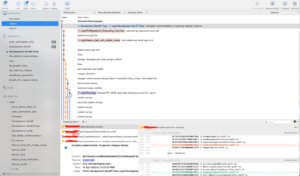 Cross section of Sourcetree
 - Xcode Static Analyser Tool (Code Analytic Tool):
The Xcode static analyser tool is part of the tool kit that comes with the Xcode IDE. This tool is very important and is mostly used after you have written your code and you are ready to ship your app to production or the store.Static Analyser helps you improve the quality of your iOS code. The Analyser tool helps you analyse your code for bugs without running your app or code base. It also looks out for memory leaks in your code. The static analyser does not only identify these bugs, but also explains them. Some of the kind of issues that the static analyser can help you identify includes:Security Issues
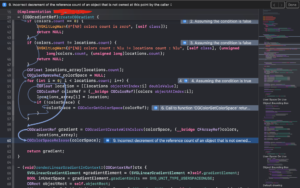 Memory Leaks, Use After Move, Use of Strcpy, Unchecked Return, Values, Violation of Reference Counting Rules, Use of Rand Functions and Uninitialized Memory
Logical Bugs
Null Pointer deference, Division by zero, Dead Stores, Unused Ivars and Misuse of nullStatic Analyzer automatically tracks down the issues and also explains them. It will save you time you would have spent investigating bug reports and improve your app’s overall quality.
- Slack (Communication Tool):
Communication is always key as a software engineer. There is always the need to communicate with other team members, Product leads, quality assurance personnel and the list goes on. For effective engineering communication I would recommend slack.
Slack Has super cool features that enhances technical communication. With slack, you can easily send code snippet in formatted readable pattern. The ability to communicate effectively and technically sets slack apart as an efficient communication tool. You can get slack from the Mac app store. You may also choose to download slack as an app from the apple app store or google play store.
 Conclusion :
As an intermediate, experience or even aspiring iOS developer, I believe your development tool needs are within these four major categories. Do ensure to get these tools or even others you may discover are of same benefit as the ones I have listed here and start developing/writing efficient and scalable codes. In my next article I will go in-depth and analyse each of these tools, just to make the understanding and usage better. Fell free to contact me if you require further guide in your journey Ito iOS development.
Ehioze Iweka
Email iehioze@gmail.com,
Twitter (ehis_iweka)
LinkedIn: www.linkedin.com/in/ehiozeiweka.