


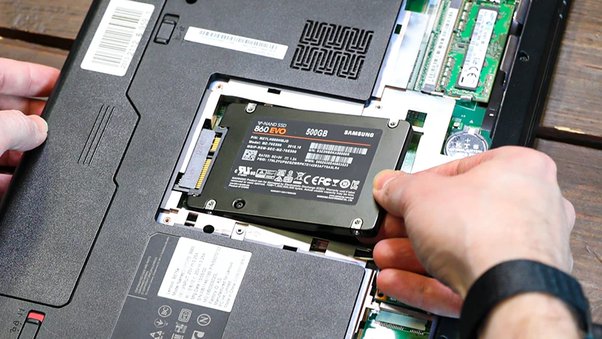
As your laptop ages, you may notice slowing performance, longer boot times, and occasional freezes. But instead of investing in a new laptop, a simple solution could be to upgrade your Solid State Drive (SSD).
Josh Gordon, a technology expert at Geonode claimed, “Your investment into a laptop doesn’t have to wane away after using it for some time. A little technical detail may breathe new life into your device.”
He further said, “Timely SSD replacements can boost the operational speed of your laptop and add years to its usability.”
With big hope, let’s explore why regular SSD replacement is beneficial to your aging laptop.
A Brief Dive into SSDs
Unlike the traditional spinning hard disk drives (HDD), SSDs use flash memory to store data. This makes them faster, more efficient, and less prone to mechanical failure. The advantages of SSD over HDD include:
- Faster access and data transfer speeds
- Use less power
- Quieter and lighter due to no moving parts
- Highly durable and less likely to fail during operation
Why Replace Your SSD Regularly?
Regular SSD replacement provides several surprising benefits that can enhance your laptop’s life and performance.
1. Reboot speed
The most noticeable impact of upgrading your SSD will be an improvement in the overall performance of your laptop. According to Gordon, upgrading to an SSD can improve boot time by up to 75% and reduce system lag, providing a smoother, more responsive user experience.
Your laptop’s workhorse is its storage drive. A faster storage drive means quicker load times for games and applications and better system boot times. So, after you replace your old SSD with a new one, you experience speedier data accessibility and computer operation.
2. Extended laptop longevity
SSDs have finite lifespans. Over time, they wear out, mainly due to relentless data-writing tasks. An old, worn-out SSD can drag down your computer’s performance or even fail unexpectedly, putting your data at risk.
Thus, regular SSD replacements are recommended, depending on the SSD’s workload and quality. It can also be a cost-effective solution, as the price of SSDs has decreased over the years.
3. Shock and vibration resistance
SSDs have no moving parts. Thus, they’re more resistant to shock. They help safeguard your data if your laptop is jolted or dropped. This increased durability extends the lifespan of not only the drive itself but potentially the entire laptop.
4. Energy efficiency
SSDs are known for their lower power consumption compared to HDDs, improving your laptop’s battery life. That’s a win-win for both your performance needs and if you’re working while on the go.
5. Increased storage capacity
With data accumulation over the years, your SSD might run out of storage space. Switching to a larger capacity SSD can take care of this issue.
When Should You Consider Replacement?
While SSDs are considerably durable, they’re not invincible. Usage and age can degrade their performance over time. It’s recommended to replace your SSD every three to five years to stay ahead of any potential issues.
How to Make the Switch
Replacing a laptop’s SSD might sound tricky, but it’s simpler than you think.
- Backup all your essential data.
- Purchase a new SSD.
- Install the new SSD into your laptop.
- Install the operating system and other necessary software on the new SSD.
- Restore your data from the backup.
Remember to get the appropriate SSD compatible with your laptop model. Although you can perform the replacement yourself, seeking professional assistance is advised if you’re not tech-savvy.
Take It from an Expert
After understanding the remarkable benefits of regular SSD replacements, you might now look at your old laptop differently. Needless to say, constant check-ups and timely hardware replacements keep your laptop in tip-top shape.
Our Geonode tech expert, Josh Gordon, reiterates, “A proactive approach towards SSD replacement optimizes performance and enhances longevity too.”
With the best practices, your laptop might serve you diligently for years beyond expectation!