


Facebook Twitter LinkedIn RSS
    Trending
    • NativeTalk, trusted by enterprises for over a decade, launches all-in-one business app for SMEs across Africa
    • How fintechs are turning Dangote’s IPO into customer magnet
    • Fake FRSC SMS scam drains bank accounts across Nigeria
    • Four early warning signals in SME cash flows that legacy models miss
    • NiRA opens nominations for 9th .ng awards, celebrating Nigeria’s digital excellence
    • Nigeria records 78% growth as NIN hits 142million
    • Adeoye Abodunrin to keynote GrowthX by Techeconomy 2026 as tech, finance experts join lineup
    • NigComSat-2A to expand broadband access across Africa
    Facebook Twitter LinkedIn
    ITPulse.com.ngITPulse.com.ng
    • News
    • Interviews
    • Blogs
    • Analysis
    • Opinion
    • Videos
    • Press Releases
    • Pictures
    • Advertise
    ITPulse.com.ngITPulse.com.ng
    Home»Blogs»What is bloatware and how can you remove it
    Blogs 4 Mins Read

    What is bloatware and how can you remove it

    mmBy ITPulseJuly 19, 2019
    Facebook Twitter WhatsApp Pinterest LinkedIn Reddit Tumblr Email
    bloatware, Internet privacy, Software developers
    Share
    Facebook Twitter LinkedIn Pinterest Email

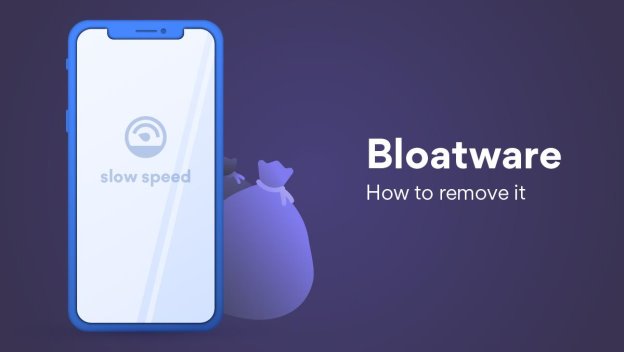
    New devices can come with pre-installed bloatware that reduces performance and violates the privacy

    When you buy a new device, you expect it to come in a pristine state and work perfectly. Unfortunately, this is not always the case. Devices can come with pre-installed bloatware that reduces performance and violates your privacy.

    “Bloatware is software you don’t want that burdens and slows down your device,” explains Daniel Markuson, a digital privacy expert at NordVPN. “These are programs that are preinstalled on new devices, come bundled with other downloads, or are injected into your system through malicious sites.”

    According to NordVPN’s digital privacy expert, there are two main ways for bloatware (or Potentially Unwanted Programs – PUP) to reach you. It usually comes pre-installed by vendors, manufacturers or carriers. There can be a few reasons for this:

    • Software developers pay providers to install their products on your device.
    • Manufacturers provide the user with maintenance applications (e.g., Lenovo Solutions Centre) that also collect user data.
    • Software or OS updates can push branded solution centers, trialware, or just random add-ons.

    “I would like to stress out, that not all bloatware is bad,” says Daniel Markuson, a digital privacy expert at NordVPN. “Some pre-installed media suites or control centers can be useful, and some are very easily removable.”

    Another type of bloatware comes from the web. It can come from malicious websites or be downloaded together with programs you want from third-party webpages. It can also hide in software bundles. This bloatware is more dangerous as it often contains adware or malware.

    Table of Contents

    Toggle
    • Why bloatware is a threat
    • How to remove bloatware
    • How to avoid bloatware

    Why bloatware is a threat

    “Firstly, bloatware can significantly slow down your computer. If you have lots of these programs loading in your device start-up or performing operations in the background, they can eat up your RAM,” comments Daniel Markuson, NordVPN’s digital privacy expert.

    “Malware or adware presents more severe issues,” adds Daniel Markuson. Apart from showing pop-up ads while using your computer (even when you’re not online), it might also spy on you. Others programs might not be malicious but still accidentally leave you vulnerable. One of the more prominent examples is the Superfish program by Lenovo, which made users more susceptible to hacker attacks and spying.

    How to remove bloatware

    Bloatware is often the result of computer manufacturers or vendors wanting to cut costs and get additional revenue from software developers. However, the native programs could be removed either by regular uninstall or bloatware removers. You can also get bloatware-free PC, but be ready to pay more.

    Windows PCs are most often affected by bloatware. However, this varies depending on the manufacturer. For example, Acer and Asus devices tend to contain less bloatware than Toshiba or Sony. Macs are less affected by bloatware than Windows PCs. However, you still might want to remove some of the unwanted apps that come pre-installed.

    You can as well obtain some useful info from ShouldIRemoveIt. It uses crowdsourced data based on the actions of its users to present an extensive list of frequently removed programs. Be aware, that some of the programs are integral to the system and may cause problems after you remove them.

    How to avoid bloatware

    Prevention and avoidance is key, especially when it comes to bloatware that isn’t pre-installed. That’s better than working hard to remove it.

    • Choose devices with less bloatware. Other download sources might include malware or adware. Also, avoid downloading software in bundles as these might contain bloatware.
    • Download software from the original source. Do some research on the manufacturer and vendor when shopping for a device.
    • Fight bloatware when you notice it. It stack up until your OS becomes impossible to use or continue to gather your data. If you notice unwanted programs, remove them right away to keep your device safe and clean.

    bloatware Internet privacy
    Share. Facebook Twitter Pinterest LinkedIn Tumblr Telegram Email
    mm
    ITPulse
    • Website
    • Facebook
    • Twitter
    • LinkedIn

    ITPulse is a wholly information technology communication (ICT) news website, with a special focus on the African continent. The website provides up-to-date biz-tech news, analysis and comprehensive and thorough insight into the continent's ICT terrain

    Related Posts

    NiRA opens nominations for 9th .ng awards, celebrating Nigeria’s digital excellence

    September 17, 2026

    OneDosh expands into the EU, bringing cross-border finance closer to everyday life

    September 16, 2026

    From DNSSEC to Democracy: Why digital trust matters in election management

    September 10, 2026

    Leave A Reply Cancel Reply

    Subscribe to Updates

    Get the latest creative news from FooBar about art, design and business.

    Latest Posts

    NativeTalk, trusted by enterprises for over a decade, launches all-in-one business app for SMEs across Africa

    September 21, 2026

    How fintechs are turning Dangote’s IPO into customer magnet

    September 19, 2026

    Fake FRSC SMS scam drains bank accounts across Nigeria

    September 18, 2026
    About
    About

    Itpulse.com.ng is a wholly information technology communication (ICT) news website, with special focus on the African continent. The website provides up-to-date biz-tech news, analysis and a comprehensive and thorough insight info the continent's ICT terrain.

    Contact us: editorial@itpulse.com.ng

    Facebook Twitter LinkedIn RSS
    Latest Posts

    NativeTalk, trusted by enterprises for over a decade, launches all-in-one business app for SMEs across Africa

    September 21, 2026

    How fintechs are turning Dangote’s IPO into customer magnet

    September 19, 2026

    Fake FRSC SMS scam drains bank accounts across Nigeria

    September 18, 2026
    Popular Posts

    PalmPay’s nightGuard reinforces its ‘PalmPay Dey for You’ promise with added night-time protection

    September 15, 2026

    NativeTalk, trusted by enterprises for over a decade, launches all-in-one business app for SMEs across Africa

    September 21, 2026

    Beyond the Clinic: How Adebisi Victoria Kehinde is using tech to transform Nigerian healthcare

    September 15, 2026
    © 2017 - 2026 Itpulse.
    • Terms & Conditions
    • Privacy Policy
    • Advertise
    • Contact Us

    Type above and press Enter to search. Press Esc to cancel.